
A Simple, Quiet YouTube Player
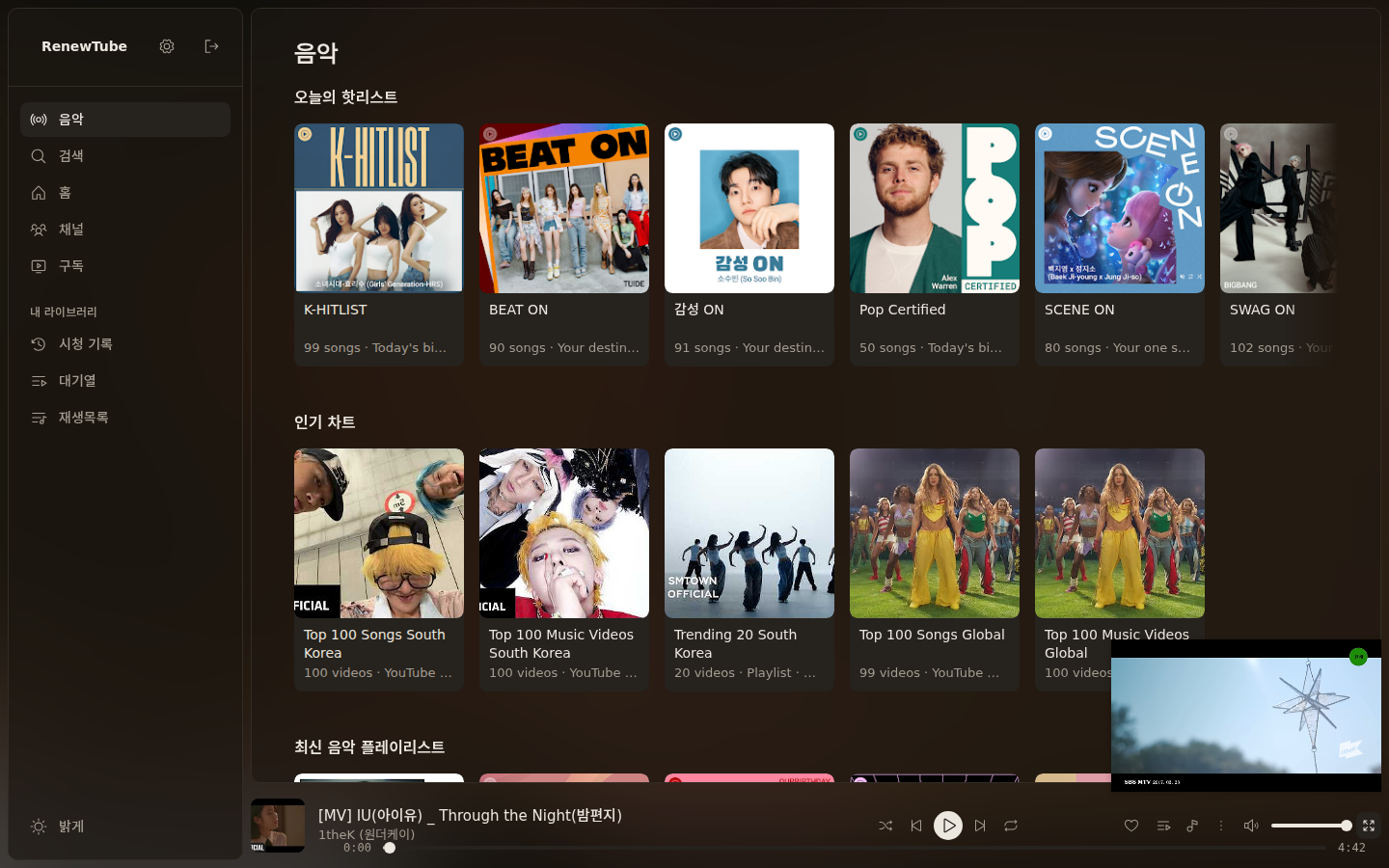
Turns YouTube into a player of your own. Music and video on one screen, and YouTube still does the playing.
One package works across Orion, Chrome, Edge, and compatible browsers.
Features
Core Experience
A player screen instead of the recommendation feed. YouTube keeps the streams and the data; only the screen changes.
Music First
The first screen is music: shelves of playlists and charts, filled without a Google sign-in.
Queue & Playlists
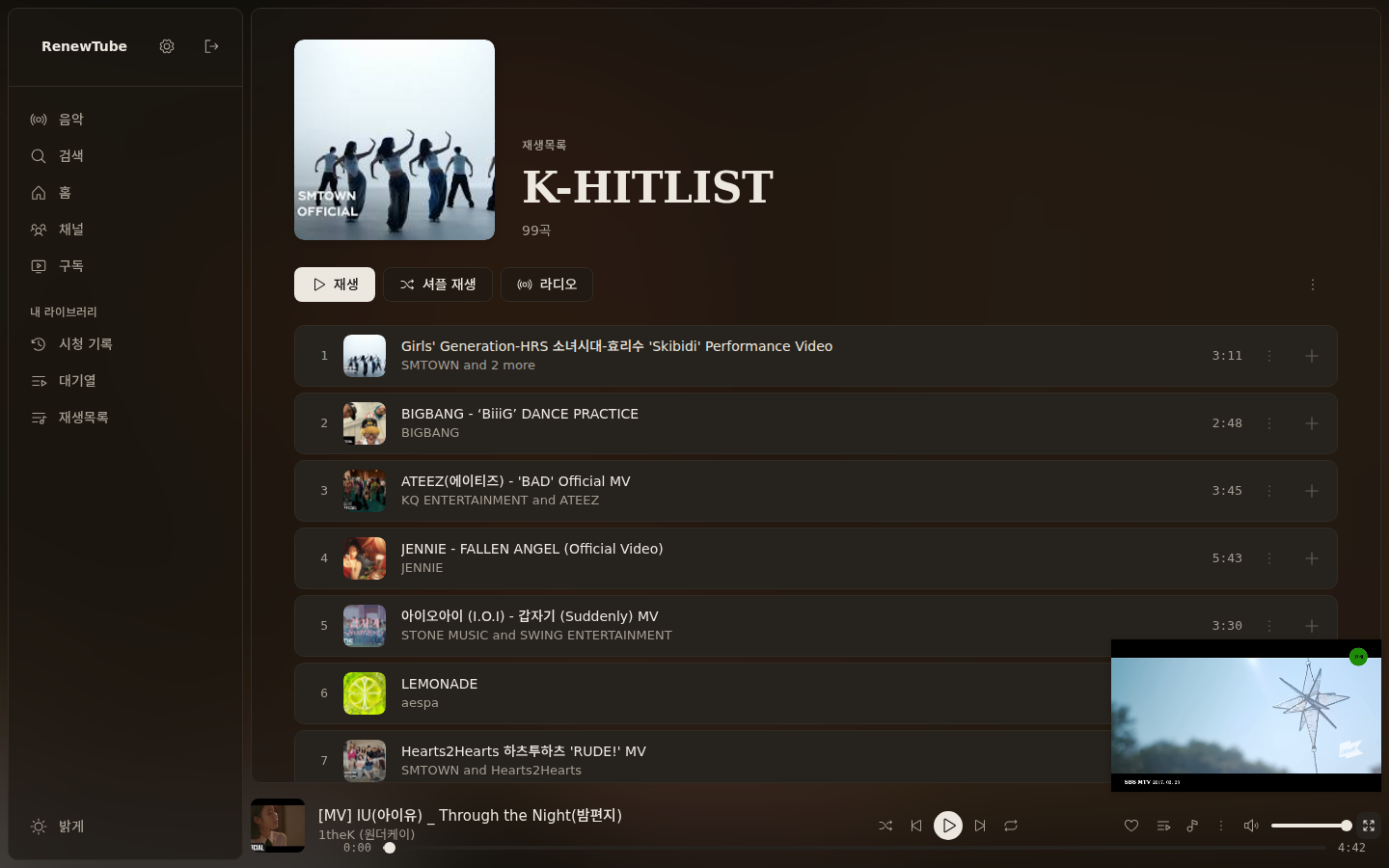
See what plays next and reorder it. Shuffle, repeat and playlists live here too.
Music & Video Modes
A track list for listening, a thumbnail grid for watching. One button switches between them.
Zero Shorts
Shorts appear in no shelf and no search result.
Keyboard & Remote
Arrow keys move between items and Enter opens them, the way a TV remote does.
A Menu You Choose
Home, Subscriptions, History and Playlists, plus the TV menu lines: Sports, Live, Gaming, News, Learning, Kids. Switch on only what you want.
Search That Helps
Suggestions as you type, recent searches remembered, and playlists and channels among the results.
Desktop & Mobile
Works on desktop Chrome, Orion and Edge, and on Orion for iPhone and iPad.
Installation
How to Install
Register the downloaded package with your browser. Setup completes in under a minute without complex configuration.
Orion Browser
- Click the Download button above to save the zip package.
- Open Settings → Extensions in Orion and tap + to select the downloaded zip file.
- Click the extension icon in the toolbar to activate RenewTube.
Chrome & Edge
- Unzip the downloaded package into your preferred folder.
- Navigate to
chrome://extensionsin the address bar and turn on Developer mode. - Click Load unpacked at the top left and select the extracted folder.
Good to Know
Design Principles & Notes
Transparent details on how RenewTube operates within the browser.
- Double-Esc to Exit Anytime
- Leaves YouTube intact. Press Esc twice within 1 second to close RenewTube and get the ordinary YouTube page back.
- Background & Screen-Off Playback
- Playback with the screen turned off relies on native browser background audio capabilities (such as Orion's background playback).
- No Built-In Ad Blocking
- RenewTube complies with YouTube streaming standards and does not block ads. Dedicated content blockers can be used alongside it.
- Library Requires Sign-In
- Search, music and the TV menu work signed out. Subscriptions, history and playlists appear once you sign in to YouTube.